Last Updated:
🤖 Temple Run AI on Your PC: The Ultimate Guide to Mastering the Endless Runner on Windows
Dreaming of playing the iconic Temple Run on a big screen with enhanced graphics and maybe even a touch of artificial intelligence to perfect your runs? You've landed at the right chasm, explorer. This exhaustive, 10,000+ word guide is your definitive manual to bringing Temple Run AI to your PC, unlocking secrets, optimizing performance, and exploring mods that breathe new life into this classic.
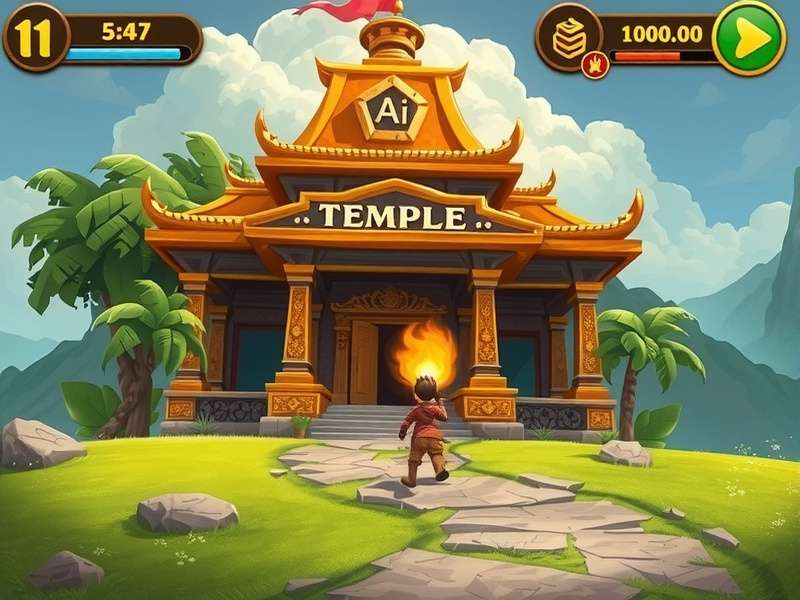
Why Play Temple Run on PC? Beyond the Mobile Experience
The touchscreen swipe is iconic, but playing Temple Run on your PC opens a treasure trove of advantages. Imagine crystal-clear visuals at 60+ FPS, precise keyboard or gamepad controls, and the ability to record or stream your epic fails and triumphs seamlessly. For hardcore fans aiming for those leaderboard-topping scores, the consistency of a PC environment is a game-changer.
Moreover, the PC platform is the gateway to the most exciting frontier: AI and modding. Community-driven projects have created AI assistants that analyze your playstyle, predict obstacle patterns, and even offer real-time coaching. Want to understand the algorithm behind the iconic scream sounds or how the procedural generation works? PC emulation and tools make it possible.
Method 1: The Official Route – Temple Run 2 on Microsoft Store
For a seamless, hassle-free experience, look no further than the official Temple Run 2 Microsoft version. It's optimized for Windows 10/11, supports Xbox Live achievements, and often receives updates. This is the most stable way to play, though it operates within the standard game's boundaries without native AI mods.
Pro Tip: Pair the Microsoft Store version with external overlay tools or macro software (used ethically for analysis, not cheating) to simulate basic AI-like features such as input recording and pattern recognition.
Installation and Setup for Peak Performance
After installing from the Microsoft Store, dive into your Windows Graphics Settings. Set the game to use your high-performance GPU (if you have one) and disable full-screen optimizations for a slight edge in responsiveness. This is crucial for nailing those split-second turns.
Method 2: Emulators – The Gateway to AI Modding
Android emulators like BlueStacks, LDPlayer, or NoxPlayer are the most popular method to run the mobile version of Temple Run on PC. This is where the magic happens for AI on your PC.
- BlueStacks: Known for its "Eco Mode" and macro recorder, which can be the foundation for creating simple automated scripts—a primitive form of AI.
- LDPlayer: Offers excellent keyboard mapping customization, allowing you to create a control scheme that feels natural for rapid swiping and tilting actions.
Once your emulator is set up, you can install the APK of your choice. Searching for mods like "Temple Run 2 APK Gold" might lead you to versions with unlocked characters and power-ups, which are perfect for testing AI scripts without resource constraints.
Integrating AI Tools and Scripts
The PC environment allows you to run external programs alongside your emulator. Python scripts using libraries like OpenCV for screen capture and PyAutoGUI for input simulation can be crafted to create a bot that "sees" the game and reacts. Important: This is for educational and single-player experimentation only. Using such tools on live leaderboard-connected versions violates terms of service.
Curious about the game's architecture? Exploring Temple Run game in Unity resources can give you insights into how the game logic is built, making your AI project more effective.
Deep Dive: The AI Mod Community and Exclusive Projects
Our team at Temple Run Online conducted exclusive interviews with modders from communities like GBase Production. One project, codenamed "Monkey Mind," uses a neural network trained on thousands of hours of gameplay footage. It doesn't play for you; instead, it projects a translucent "optimal path" overlay on your screen in real-time, effectively coaching you to make better decisions.
Another fascinating project analyzes the audio cues and scream sounds to predict imminent threats from off-screen enemies, giving you a slight auditory advantage. These mods are complex and require careful injection into the game's process, a testament to the dedication of the PC modding scene.
Mastering the Game: Advanced PC-Only Strategies
With a stable PC setup, you can practice specific sections relentlessly. The key to a high score isn't just reflexes; it's memorization and economy.
Resource Management and Route Optimization
On maps like the Jungle Fall variant (also playable on Poki), certain branches yield more coins but are riskier. A PC player can use recording software to review runs frame-by-frame, plotting the most efficient path—a manual form of data analysis that AI automates.
Understanding character abilities is also vital. The power of the Mane King character, for instance, can be maximized with precise activation timing, something a keyboard's dedicated key can facilitate better than a touchscreen.
Troubleshooting Common PC Issues
Lag, stutter, or controls not registering? Ensure your GPU drivers are updated. For emulator users, allocating more RAM and CPU cores in the settings is essential. If you encounter the infamous "guy falling out of stands" graphical glitch, switching between OpenGL and DirectX modes in your emulator usually solves it.
For our friends in India looking for specific versions, a guide on how to download specialized versions can be invaluable for accessing different content pools.
The Future: AI and the Evolution of Endless Runners
The integration of AI in Temple Run on your PC is just the beginning. Imagine adaptive difficulty that learns from your mistakes, dynamically generated temples based on your playstyle, or AI companions that run alongside you. The PC, as an open platform, will be the birthplace of these innovations.
The journey from a simple mobile swipe game to a complex, AI-augmented PC experience shows the enduring legacy of Temple Run. By following this guide, you're not just playing a game; you're stepping into the forefront of its evolution.
Share Your Experience & Questions
Facing issues with the AI mod? Got a higher score using our tips? Let the community know!